I tested dedicated music platforms so you can pick a generator that fits your workflow. The global market is scaling fast, projected to jump to roughly USD 38.7 billion by 2033 and I focus on products you can use in the United States now.
I will review ten dedicated platforms with the same structure: a concise overview, core features, pros and cons, and who each is best for. That makes it easy to compare export formats, licensing, and plan limits at a glance.

My roundup highlights where each platform shines: vocals, genre range, customization, and export quality. I also note speed, stability, and whether free tiers allow commercial use. Expect clear, practical notes so you can test side by side without guesswork.
Key Takeaways
- I compare ten dedicated music generators with consistent, skimmable sections.
- I flag which plans include commercial rights and what file types you can download.
- I evaluate strengths for creators from social editors to indie musicians.
- I highlight export quality, vocal support, and customization controls.
- Market growth means rapid feature changes; I base notes on current plan details.
What you will get in this Product Roundup on AI music generators
I wrote this roundup with practical use in mind. I focus only on dedicated music generators so you see clear differences between platforms and can pick one that fits your workflow in the United States.
Each platform review follows the same structure: a short overview, core features, pros, cons, and who it suits best. That makes direct comparisons easy when you care about export types, licensing, and speed.
Who this guide is for in the United States
I wrote this for U.S. creators and marketers who need reliable tracks for videos, podcasts, ads, streams, and demos without licensing headaches. If you publish content regularly, these notes will save testing time.
How this roundup reflects the present market
The market moves fast. I call out which platforms actively ship updates, what export options they offer (MP3, WAV, stems), and whether paid tiers clarify commercial rights.
- I highlight which platform is stronger for vocals, background cues, or fast iteration.
- I explain free-plan limits and download rules in plain English so users face no surprises.
- I give balanced pros and cons that reflect trade-offs like control versus speed and cost versus rights.
By the end, you will have a short list of music generators to try first with a test brief that matches your needs.
How I chose the Best AI Tools for Music Generation
I set strict criteria so only platforms built to create full songs and cues made the cut. My goal was to compare services that deliver usable tracks for projects in the United States, not general audio editors or practice utilities.

Focus on dedicated tools, not generic audio apps
I shortlisted platforms whose main purpose is song or cue creation. That ensured each candidate offers workflow-specific features like stems, tempo control, and export presets.
Audio quality, formats, and export options
I listened for clarity, mix balance, and polish across WAV, MP3, and stem exports. I also checked whether services include video visuals or multitrack downloads for flexible post work.
Control, styles, and genre coverage
I tested how much control you get over prompts, lyrics, instruments, tempo, key, and section layout. Greater control yields repeatable results and suits creators who refine briefs.
Licensing, royalty-free use, and commercial rights
I verified what free plans allow, when commercial rights apply, and whether attribution is required. Transparent licensing was a must for content that ships to clients or platforms.
Pricing plans and real-world value for creators
I compared monthly credits, per-generation costs, and download limits. I favored platforms where paid tiers unlock pro exports like WAV and stems, not just higher caps.
- I prioritized usability: clear previews, sensible defaults, and helpful tutorials.
- I measured speed and stability to match creator deadlines.
- I watched update cadence and asked about training sources when ethical disclosure was available.
1) Suno
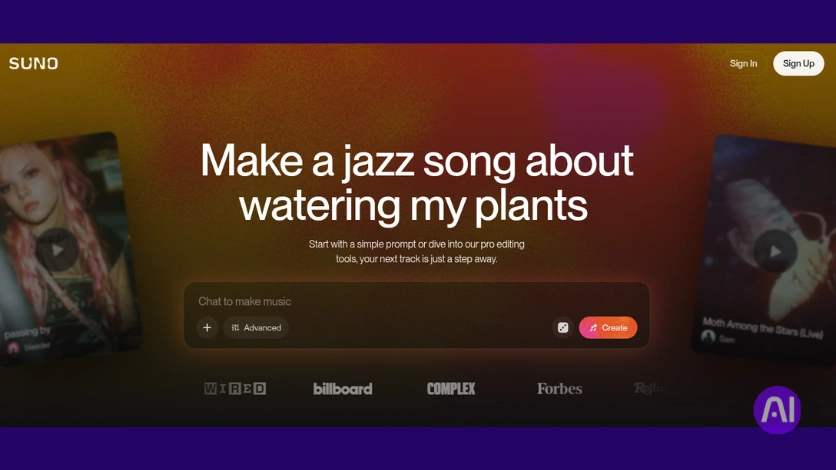
Suno lets me type a mood and get a finished song complete with lyrics and vocals within moments. The interface is modern and focused, so I can move from idea to shareable clip fast.
Overview
Suno is a text-to-song platform that generates full tracks with vocal synthesis, backing parts, and written lyrics. It produces two alternative outputs by default so you can compare results quickly.
Core features
- Prompt-based generation with style guidance and tempo hints.
- Two default outputs per request and quick audio or video downloads.
- 50 free daily credits; each song uses 5 credits; paid plans start near $8/month.
Pros
- Strong vocal presence and cohesive lyrics that work well on social platforms.
- Fast generation and wide genre flexibility for rapid concepting.
- Simple workflow that helps non-musicians create polished content.
Cons
- Limited deep control over arrangement and no internal stem editing yet.
- Lyric depth can vary by prompt, and commercial rights require paid tiers.
Best for
I recommend Suno to creators who want vocal-forward results and quick demos. It’s ideal for social clips, early song ideas, and testing hooks before moving to a DAW to refine stems.
| Key point | Quick note |
|---|---|
| Free credits | 50/day (5 per song) |
| Outputs | Two per request; audio or video downloads |
| Price | Paid plans from ~$8/month |
2) Elevenlabs Music Generator
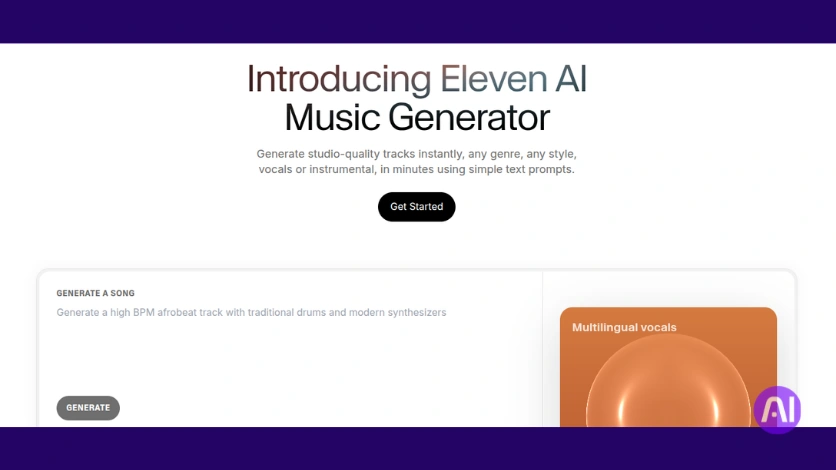
I explored Eleven Music to check whether it delivers reliable song lengths and clear vocal tracks. The feature set is built on ElevenLabs’ voice tech, so it blends lyrics and accompaniment into full songs quickly.
Overview
Eleven Music is ElevenLabs’ platform that generates complete tracks with vocals, written lyrics, and background instrumentation. It supports personal use on a free tier and paid plans that add commercial rights and downloads.
Core features
- Prompt-based creation with automatic style and instrument selection.
- Adjustable duration from 30 seconds to 4 minutes and choice of number of outputs.
- 10k free credits per month for personal use; paid plans start at $5/month with 30k credits and commercial rights.
- Streamlined downloads and explicit licensing on paid tiers.
Pros
- Strong lyric generation from simple prompts and fast track creation.
- Duration control helps when you need exact timing for intros, outros, or ad spots.
- Clear commercial usage on paid plans makes rights straightforward for creators.
Cons
- Downloads and commercial rights require a paid plan; free is personal only.
- Limited fine-grain control over individual instruments and arrangement.
- Output quality can vary by genre and prompt detail.
Best for
I recommend Eleven Music to creators who want longer songs on a budget and need predictable durations. It suits podcasters, YouTube creators, and users who prefer one account for both voice and music creation.
| Key point | Quick note | Why it matters |
|---|---|---|
| Free credits | 10k/month (personal) | Try features without cost; not usable commercially |
| Paid plan | $5/month (30k credits + commercial) | Enables downloads and rights for client work |
| Duration | 30s–4min | Useful for exact spot lengths and full songs |
3) Soundraw
I tested Soundraw as a settings-first generator that puts control up front. It focuses on polished background music you can tailor by length, tempo, and genre to fit exact scene timing.

Overview
Soundraw emphasizes presets and sliders rather than prompt guessing. You pick duration (10 seconds to 5 minutes), set tempo, choose from roughly 25 genres, and select instruments before generating.
Core features
- Length control up to 5 minutes and tempo selection.
- About 25 genres and multiple styles with up to 15 generated tracks per request.
- Built-in mixer to rebalance melody, backing, bass, and drums.
Pros
Tracks are reliable for background music and cover many genres and styles. Structure and duration controls make it simple to match video edits.
Cons
The free plan lets you generate but not download. It’s instrumental-first, so lyric or vocal options are limited.
Arrangement depth is lighter than a full DAW and exports require a paid plan (around $16.99/month).
Best for
I recommend Soundraw for creators who need polished background tracks for tutorials, vlogs, ads, and presentations. It’s useful when you want predictable results faster than prompt-only approaches and multiple options for client review.
| Key point | Quick note | Why it matters |
|---|---|---|
| Length | 10s–5min | Match exact scene timing |
| Variations | Up to 15 tracks | Fast iteration for edits |
| Price | Free preview; paid ≈ $16.99/month | Downloads and high-quality exports |
Try Soundraw on Soundraw’s site if you want a tool that prioritizes control and steady quality for background music.
4) Udio
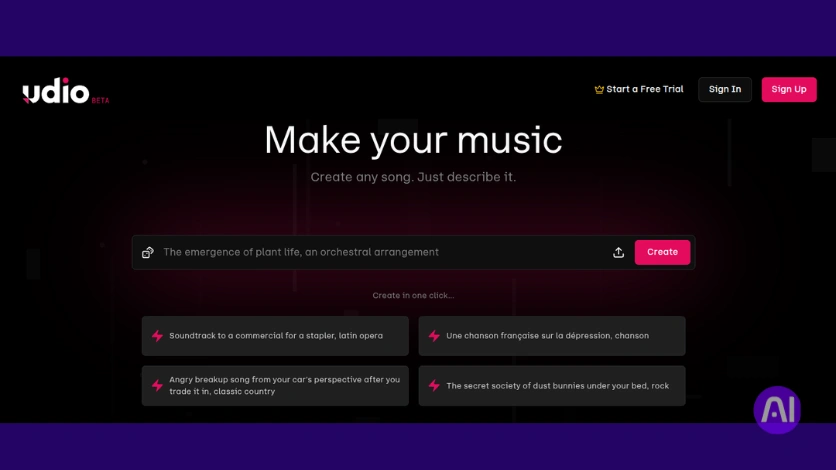
Udio puts nuanced controls in a compact interface so I can shape vocals, lyrics, and instruments fast. It handles both text prompts and reference uploads, and it supports custom lyrics or AI-written lines. You can also switch to an instrumental mode when you want a pure backing track.
Overview
I use Udio when I want deeper control than a prompt-only generator but without a steep DAW workflow. Style tags let me guide instrument choices and genre hints. Each generation returns two songs so I can compare variations quickly.
Core features
- Text prompts and reference upload to match existing songs.
- Style tags, custom or AI lyrics, and instrumental mode.
- Advanced controls: model choice, length, lyric timing & strength, clarity, and generation quality.
- Export options: TXT lyrics, WAV, MP3, and video.
Pros
Exports include clean WAV and TXT lyric files. The interface uses visual tags that help creators steer instruments and vibe without deep technical knowledge.
Cons
Lyric quality can vary and instrumentals may sound average for niche genres. The advanced controls have a learning curve and credit use adds up while experimenting.
Best for
I recommend Udio to creators who need tighter control over lyrics and vocal presence, and to anyone matching a reference style. It’s handy when you want WAV exports to take into a DAW and refine later.
| Free credits | Per gen | Paid start |
|---|---|---|
| 100 monthly / 10 daily | 2 credits → 2 songs | ≈ $8/month (1200 credits) |
| Exports | TXT, WAV, MP3, video | Dual outputs per generation |
5) SongR
SongR is a quick text-to-song service that turns a few keywords into a short vocal track. I used it to sketch ideas fast and see how editable lyrics and simple voice choices shape an output.

Overview
SongR lets users pick a genre, enter keywords, and choose from three voice options. It generates editable lyrics and delivers roughly a one-minute song you can download or share.
Core features
- Genre selection and keyword-driven prompts to guide style and tempo.
- Three selectable voices and on-screen lyric editing before export.
- One-click generation with free download and link sharing during beta.
- Experimental image-to-music mode that turns pictures into short background clips.
Pros
It’s extremely easy to use and fast to get shareable content. The lyric drafts are catchy and often need only light edits.
Not requiring an account in beta lowers friction for quick testing or collaboration.
Cons
Voice previews are limited, and the short track length may not suit longer edits. I missed finer instrumental control and pro export options.
Best for
I recommend SongR to creators who want quick, fun songs with vocals and editable lyrics for shorts, memes, or children’s content. It’s a handy sketching generator when speed and simplicity matter more than deep control.
| Feature | Note | Why it matters |
|---|---|---|
| Length | ~1 minute | Quick to produce and share |
| Voices | 3 options | Fast vocal variety without setup |
| Downloads | Free in beta | Immediate sharing and testing |
6) Splash Pro
I used Splash Pro to sketch quick background cues and check how prompts map to tempo and key. The interface makes it simple to pick BPM, key, and mode, then generate a short lead track and several samples to compare.
Overview
Splash Pro is an accessible platform that creates royalty-free background pieces aligned to your prompt, BPM, key, and mode. It targets short-form content and rapid iteration, so you can produce export-ready clips without a DAW.
Core features
- Generates a main 40-second track plus multiple 10-second samples you can extend.
- Set BPM, key, and mode to match scene energy and timing.
- Exports in MP3, MP4, WAV, and ZIP; includes an experimental AI voice training option.
- Free plan: unlimited songs up to 60 seconds and one trained voice; paid plans start near $8/month with up to 120-second songs.
Pros
- Prompts align reliably to short background music and quick cues.
- BPM and key controls help match edits and scene pacing.
- Flexible download formats and a low-cost plan make it budget-friendly for creators.
Cons
- Free duration caps limit longer projects unless you stitch exports or upgrade your plan.
- The AI voice training is promising but not yet polished for high-end production use.
- Track length and arrangement depth are lighter than a full DAW workflow.
Best for
I recommend Splash Pro to creators who need fast, royalty-free background tracks and quick sketches for shorts, reels, or game loops. It suits editors who want simple control over timing and several variations before committing to a final track.
| Feature | Note | Why it matters |
|---|---|---|
| Free plan | Unlimited songs ≤60s + one trained voice | Fast testing without cost |
| Paid plan | ≈ $8/month, up to 120s | Longer exports and more flexibility |
| Exports | MP3, WAV, MP4, ZIP | Use files directly in editorial or video projects |
7) Riffusion
I like testing open, no-cost platforms that help lyric ideas become quick melodic sketches. Riffusion is an open-source project that turns short lyrics and a vibe description into several compact song drafts. I use it when I want fast inspiration without a paid plan.
Overview
Riffusion accepts a few lines of lyrics and a genre or mood. It then generates multiple short songs that pair simple vocals with background music. Each result includes an image and a suggested title so you can review options at a glance.
Core features
- Enter lyrics and a vibe prompt with starter suggestions.
- Produce several variations at once, each with an image and name.
- Download outputs as audio or short video files for quick sharing.
Pros
- Free and fast, great for testing lyric and melody ideas.
- Surprisingly pleasant vocal-and-music combinations from minimal input.
Cons
- Limited voice control and fewer instrument choices than paid platforms.
- Quality and consistency vary, especially for longer compositions.
Best for
I recommend Riffusion to lyricists and creators who want rapid melody sketches or concept approvals without budget risk. Try the project page to see quick results and examples, or read my deeper write-up at meet Riffusion.
| Feature | Note | Why it matters |
|---|---|---|
| Cost | Free (open-source) | Low barrier to experiment |
| Outputs | Audio & video + images | Easy sharing and review |
| Control | Basic prompts, few voice options | Good for sketches, not final mixes |
8) MusicGen
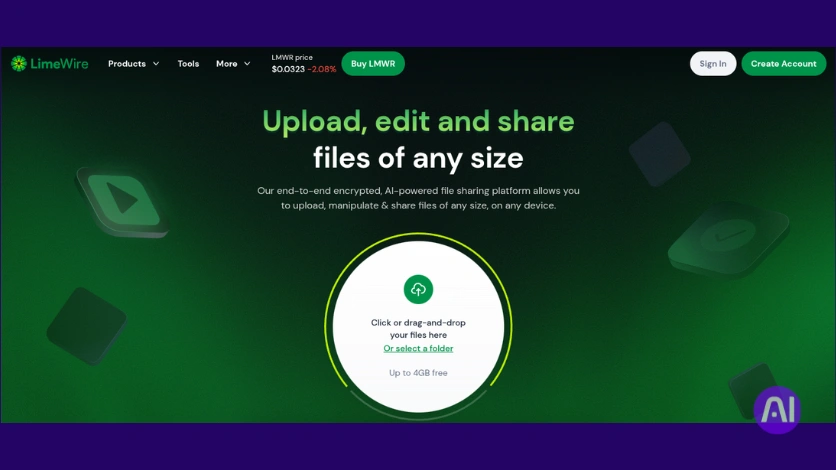
I experimented with MusicGen (redirected to Limewire) to learn how text and audio references shape quick instrumental outputs. It’s an open model that focuses on instrumental composition and rapid iteration.
Overview
MusicGen by Meta is an open-source generator that blends text prompts with optional audio conditioning. You can create music clips quickly and export WAV files without signing up.
Core features
- Text-based prompts plus audio conditioning to steer instruments and tempo.
- Unrestricted web demo that generates up to 15-second WAV tracks instantly.
- Trained on large stock catalogs so textures and instrument choices feel natural.
Pros
It’s free to use and excellent for short background beds and transitions. The instrument textures are strong for compact cues you can loop or process.
Cons
The demo caps output at 15 seconds, so you often need a DAW to arrange, loop, or master longer tracks. It also does not natively produce vocals.
Best for
I recommend MusicGen to creators who want open-source flexibility and quick cues to seed larger compositions. It works well when you want reference-guided sounds before committing to a paid subscription.
| Key point | Details | Why it matters |
|---|---|---|
| Demo limit | 15 seconds (web demo) | Fast idea testing; needs DAW for full tracks |
| Export | WAV downloads without signup | High-quality files ready for editing |
| Vocal support | No native vocals | Best used for instrumental building blocks |
9) Beatoven
My workflow favors generators that offer multiple safe options and clear controls for scene timing. Beatoven is a prompt-driven service that builds customizable background music tailored to duration, vibe, era, and occasion.
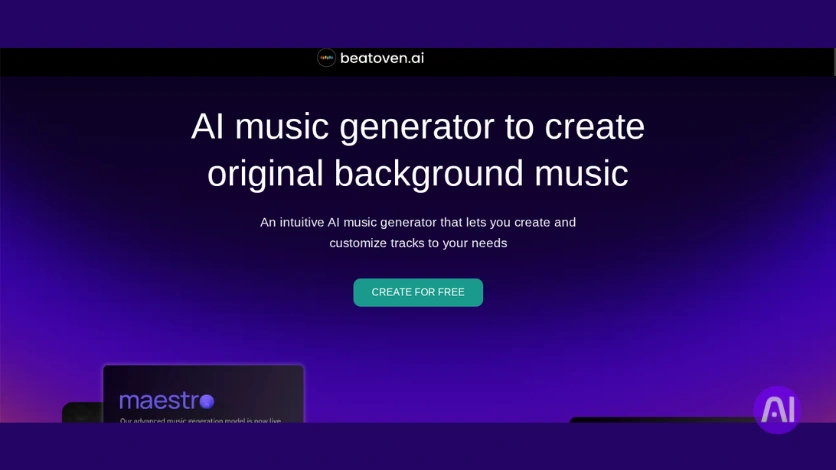
I use it when I need a main cue plus alternatives to test which track fits a cut. Each generation returns a primary composition and four alternates so I can compare mood and energy quickly.
Core features
- Generates a main track plus four alternate tracks per request.
- Edit genres, tempo, and instrument choices directly in the editor.
- Assign emotions to different parts to shape a mood arc across the composition.
- Unlimited generation on the free tier; downloads require a paid plan (≈ ₹299/month for 15 minutes of downloads).
Pros
Prompts map reliably to the resulting tracks, so the music matches content cues more often than not.
Alternates speed client approvals and help maintain a consistent brand sound across episodes.
Cons
Downloads are behind a paywall, so you can’t export production files on the free tier.
Deeper arrangement edits are limited; serious composition work usually needs a DAW after export.
Best for
I recommend Beatoven to video editors and podcasters who need fast, on-brief background tracks with light customization. It works well for creators who prefer structured workflows and multiple options for client review.
| Feature | What it does | Why it matters |
|---|---|---|
| Main + alternates | One primary cue + four alternates | Faster selection and A/B testing |
| Mood mapping | Assign emotions to sections | Matches scene energy and pacing |
| Free generation | Unlimited previews; no downloads | Good for ideation; paid plan needed for production |
| Paid plan | ≈ ₹299/month for 15 min downloads | Enables export and client delivery |
10) Mubert
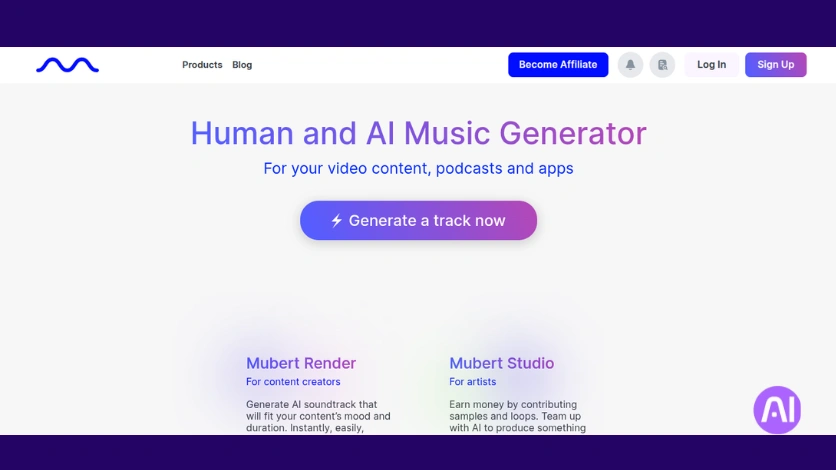
When I need many ready-to-use beds, I test platforms that can deliver at scale. Mubert is a flexible platform that generates royalty-free background music from text, images, or reference audio. It’s built to supply steady batches of usable tracks for content calendars and apps.
Overview
Mubert focuses on rapid creation of loops, mixes, jingles, and longer cues. It supports text-to-music, image-to-music, and search-by-reference so you can match a vibe quickly.
Core features
- Generate soundtracks, loops, and mixes across many styles and genres.
- Free plan: 25 soundtracks/month with branding; downloads require linking YouTube.
- Paid plans from about $11.69/month for up to 500 tracks; offers Mubert Render, Studio, and an API.
Pros
Quick output and strong reference matching make it easy to get consistent background tracks at scale.
Good for social posts, presentations, apps, and live streams where royalty-free music matters.
Cons
Free outputs include branding and require a YouTube link to download.
Image-to-music can be hit-or-miss, and deep arrangement or stems are not the focus.
Best for
I recommend Mubert to creators and teams who need many reliable tracks monthly, want clear licensing, and may integrate generation via API into apps or workflows.
| Feature | Free plan | Paid plan |
|---|---|---|
| Monthly outputs | 25 branded soundtracks | Up to 500 tracks (~$11.69/mo) |
| Generation modes | Text, image, reference | Render, Studio, API access |
| Use cases | Social clips, demos | Apps, ad libraries, scalable background music |
Which music generator fits your workflow right now
Choose a platform that fits how you produce: quick vocal sketches, structured background cues, or bulk exports. I boil options down to speed, control, and scale so you can pick a generator that matches your deadline and quality needs.
Quick picks by use case and control level
- If you need fast vocal songs and hooks, I point to Suno or Eleven Music for quick, shareable full songs and clear export paths.
- For customizable background cues I recommend Soundraw or Beatoven; they give reliable length and mood controls that fit edits.
- If you want deeper tweakability, choose Udio for advanced settings, reference guidance, and WAV exports for DAW work.
- For scale, many loops or API access, Mubert is the pragmatic option for content creators and teams publishing frequently.
- Prototype lyrics and short melodies with Riffusion or SongR; they spin up quick results you can iterate on fast.
| Use case | Recommended generators | Control level | Why it matters |
|---|---|---|---|
| Fast vocal songs | Suno, Eleven Music | Low–Medium | Quick outputs and vocal frames for promos and intros |
| Custom background cues | Soundraw, Beatoven | Medium | Length, tempo, and mood match video edits |
| Deep tweakability & exports | Udio | High | WAV and reference options for post production |
| Scale & integration | Mubert | Low–Medium | Bulk generation, loops, and API for calendars or apps |
Trade-offs are simple: faster results usually mean less granular control, while platforms with deep controls demand more time but yield richer composition options. I often combine a vocal-first generator with an instrumental generator to avoid homogenized results and get the best of both worlds.
Conclusion
I close by showing how small experiments reveal which platform matches your sound and schedule.
Dedicated platforms now deliver fast, usable music outputs that cut cost and turnaround time. They help with simple creation needs and offer tiered rights so you can publish without surprises.
Try two or three generators with the same prompt to compare results side by side. That simple test highlights which music tools suit your workflow and which features matter most.
Pay attention to licensing and export formats, commercial use often needs a paid tier. Combine strengths across platforms to avoid sameness and get richer composition results.
Platforms and underlying technology evolve quickly, so revisit options regularly. I suggest bookmarking the quick picks and starting with a small set of favorites, then expand as your needs change.
This AI tools list is suggested for you: 7 Best AI Tools for Animators to Animate Faster like a Pro
FAQ
What will I find in this product roundup on music generators?
I cover a curated list of dedicated music generation platforms, their core features, audio quality, export formats, licensing terms, pricing tiers, and ideal use cases so you can compare options quickly.
Who is this guide aimed at in the United States?
I wrote this guide for content creators, indie filmmakers, podcasters, game developers, and musicians in the U.S. who want fast ways to create background tracks, stems, or demo ideas without hiring a studio.
How did I select the music generators featured here?
I focused on purpose-built platforms rather than generic audio editors, evaluated audio fidelity, format/export flexibility, style and instrument control, licensing for commercial use, and real-world pricing value.
Are the tracks generated royalty-free and safe for commercial use?
Most platforms I list provide clear licensing for commercial use, but terms vary. I recommend checking each service’s user agreement and license before publishing or monetizing a track.
Can I get stems or multitrack exports from these services?
Some generators offer stems or separate instrument tracks and WAV/MP3 export. I note export options in each review so you’ll know which tools support multitrack workflows.
Do these tools produce realistic vocals and lyrics?
Vocal quality and lyric generation vary a lot. A few platforms can synthesize convincing lead vocals, while others focus on instrumental and ambient tracks. I call out where vocals are strong or limited.
What file formats should I expect when exporting audio?
Expect common formats like WAV and MP3; some services also offer high-resolution WAV, stems, or MIDI exports to integrate with DAWs. I highlight format options in each tool summary.
How much control will I have over style, tempo, and instruments?
Control ranges from simple presets and mood sliders to detailed prompt-based or MIDI-driven composition. My roundup separates quick, one-click creators from tools that let you fine-tune arrangements.
Which platforms are best for background music and short social clips?
Platforms optimized for loopable, royalty-free background tracks and short-form content are noted as quick picks. They tend to prioritize tempo, mood, and instant export for creators on tight deadlines.
Are there free tiers or trials to test these generators?
Many services include free trials, limited free tiers, or pay-as-you-go credits. I list pricing structures so you can test a tool without committing to a subscription immediately.
Can I use generated music in monetized YouTube videos or streaming platforms?
You usually can, but I advise reviewing each service’s license regarding monetization and attribution. Some platforms require attribution or restrict usage in specific contexts.
How does quality differ between casual creators and professional musicians?
Casual creators will find instant, polished loops and beds. Professionals may need tools that export stems or MIDI and offer deeper control to refine tracks in a DAW. I mark which tools suit pro workflows.
What performance considerations should I know about when using these platforms?
Generation time, server load, and internet speed affect throughput. Some advanced models require more processing time or credits, which I note under practical use and pricing.
Do any tools support collaboration or team accounts?
A few platforms offer team plans or asset sharing for collaborators. I point out collaboration features and whether projects can be exported for use in common production tools.
How do I keep my content original and avoid sounding generic?
I recommend combining generator output with human edits, using stems, layering live instruments or vocals, and customizing prompts or MIDI to add personal flair and avoid repetitive results.
Which generators work best with a DAW like Ableton or Logic Pro?
Tools that export WAV, stems, or MIDI integrate smoothly with Ableton, Logic Pro, or Pro Tools. I identify which platforms provide these export options for a seamless workflow.
Are there privacy or data concerns when uploading prompts or reference audio?
Some services log prompts and examples to improve models. I recommend reading privacy policies if you’re uploading unreleased material or private stems to avoid unintended use.
Can I generate music in specific genres or niche styles?
Yes, many platforms let you target genres, eras, and specific instrumentations. I evaluate genre coverage and how reliably each tool recreates niche styles.
What should I consider when budgeting for generated tracks?
Factor in subscription vs. per-track credits, export quality tiers, commercial licensing fees, and the need for stems or extended usage rights. I compare real-world costs across plans.
How often do these platforms update their models and features?
Update frequency varies. Some services regularly add instruments and quality improvements, while others release occasional upgrades. I track notable updates and feature roadmaps where available.