I write this guide to help teams pick best AI tools for API integration that speed API development and improve reliability. I explain why AI-first solutions now shape integrations and how they reduce time to launch while keeping governance tight.
My focus is on dedicated tools that add automation, testing, security, and data observability to apis. I compare features like instant setup, documentation, connectors, and transparent pricing so you can match a platform to real business needs.
I outline how automation and generative features add insights and catch anomalies that boost uptime. And I also note enterprise concerns such as scalability, performance, and role-based controls that protect sensitive systems.
I preview a uniform format for each tool: a short overview, core features, pros and cons, and best for. That way developers and teams can compare options, avoid overbuying, and plan pricing and TCO across integrations and workflows.
Key Takeaways
- Dedicated platforms speed api integration while improving governance and reliability.
- Automation and observability add testing, anomaly detection, and actionable insights.
- I evaluate each platform on setup, docs, connectors, governance, and pricing.
- Selections balance startup needs and enterprise requirements for scalability and performance.
- Role-based security and clear SLAs keep sensitive data safe during integrations.
How I Approach AI-Powered API Integration Today
I approach modern api integration with a practical checklist that prioritizes resilience and fast developer onboarding. My goal is to choose platforms that reduce code churn and keep systems reliable as applications evolve.
What api integration means for my stack right now
To me, integration is about connecting applications and systems with clear contracts and predictable data flows. I value maintainability so changes do not break user experiences.
Why AI changes reliability, observability, and automation
Machine learning models now surface drift, latency spikes, and odd error patterns that manual tests miss. This creates faster insights and lets teams automate regression testing and traffic decisions during deployments.

Selection criteria I use for enterprise and startup needs
- Documentation and SDKs: speed onboarding for developers and reduce time to value.
- Security and governance: role-based controls, policy enforcement, and audit trails.
- Performance and scalability: concurrency, test execution speed, and quotas.
- Capabilities and connectors: support for legacy systems and unified data models.
- Transparent pricing: usage-based tiers that scale with applications growth.
I apply this repeatable framework when I evaluate any tool so each review focuses on the same signals, real-world use cases, and measurable outcomes.
The Best AI Tools for API Integration
I reviewed platforms that combine policy controls with test automation to boost integration uptime. My goal was to map each product to real use cases and industries so teams can pick the right match quickly.
How I matched tools to common use cases and industries
I grouped platforms by rapid API generation, continuous testing, marketplace governance, and unified customer integrations. For example, DreamFactory and Apigee work well in regulated enterprise systems that need strict controls.
Postman and ReadyAPI excel at automated testing and CI/CD hooks. RapidAPI and Merge help product-led teams scale many connectors and customer workflows.
Key evaluation signals from documentation, support, and pricing
I scored documentation depth, support SLAs, and transparent pricing. Good docs speed development and cut maintenance costs. Strong support and clear pricing reduce risk when systems scale.
| Platform | Primary Use Case | Standout Feature | Pricing Model |
|---|---|---|---|
| DreamFactory | Instant API generation from databases | Secure auto-generated endpoints & connectors | Subscription / Enterprise |
| Postman | Test automation and CI/CD | AI-powered test suggestions | Tiered / Team pricing |
| Sauce Labs | Deep API and UI testing | Anomaly detection at runtime | Usage-based / Enterprise |
| RapidAPI | Marketplace-scale governance | Unified marketplace + analytics | Marketplace fees / Tiered |
| ReadyAPI | Test data generation and assertions | ML-assisted test creation | License / Enterprise |
| Apigee Monitoring | Enterprise monitoring and policy enforcement | Cloud analytics & audit trails | Cloud subscription |
| Merge | Unified customer integrations | One API for many providers | Usage / Tiered |
For a deeper review of leading apis, see my linked review of leading apis to compare documentation and pricing signals across vendors.
1. DreamFactory
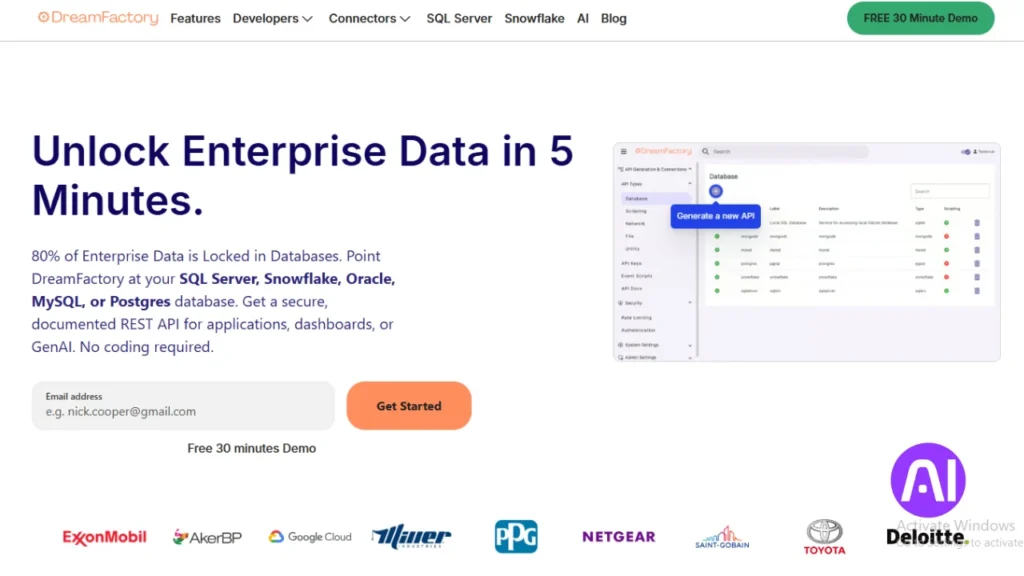
DreamFactory turns databases and legacy systems into secure, ready-to-use REST endpoints in seconds.
Overview
I position DreamFactory as a platform that accelerates api creation from existing databases and legacy systems. It removes boilerplate and speeds access to application data.
The platform focuses on governance, role-based access, and connectors so teams can expose services safely to internal and external consumers.
Core features
- Instant REST generation from diverse data sources and backends.
- Integrated authentication: OAuth, LDAP, Active Directory, and SAML.
- Role-based access control, API key management, and automatic rate limiting.
- Connectors to Snowflake, Salesforce, and SAP to streamline workflows.
- Interactive documentation and test-friendly endpoints for CI testing.
Pros and cons
- Pros: Strong governance and policy controls, quick time to value, broad connectors, and enterprise-grade access controls.
- Cons: Complex, bespoke transformations may require custom code or extensions; run a proof of concept for edge cases.
Best for
I recommend DreamFactory for enterprise teams that need a governed API layer over legacy databases. It fits organizations standardizing workflows across systems where security, performance, and auditing matter.
Verify pricing tiers against number of apis, connectors, and governance features to align spend with growth and testing needs.
| Focus | Strength | When to choose | Consideration |
|---|---|---|---|
| Auto-generated endpoints | Fast time to value | Expose data without writing endpoints | May need custom code for complex transforms |
| Security & access | OAuth, SAML, LDAP | Enterprise compliance and auditing | Review RBAC mapping during POC |
| Connectors | Snowflake, Salesforce, SAP | Complex workflows and data syncs | Connector licensing can affect pricing |
| Developer experience | Interactive docs & test endpoints | CI pipelines and contract testing | Assess performance under expected load |
2. Postman
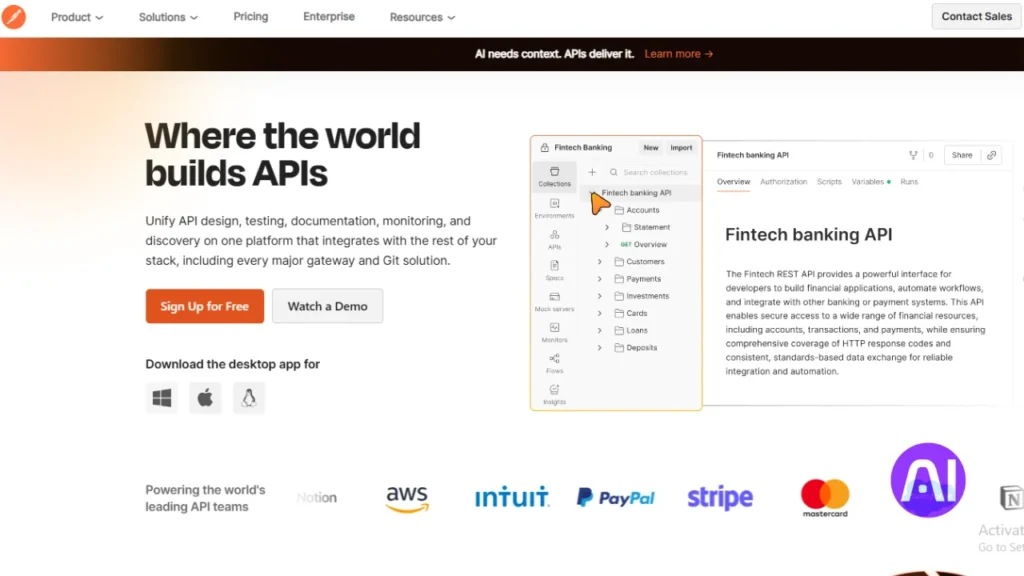
I look for platforms that fold testing and shared documentation into daily development so teams catch regressions sooner and ship with confidence.
Overview
I see Postman as a collaboration-first platform that adds automated test suggestions and contract checks to the development flow. It helps teams validate apis and speed integration work across systems.
Core features
- AI-generated test case suggestions and test templates tied to OpenAPI and Swagger contracts.
- Shared collections, monitors, and CI/CD hooks to run suites in pipelines and catch issues early.
- Visualization and analytics that surface performance and error insights across applications and data flows.
- Rich documentation workflows that standardize how developers write and publish API docs.
Pros and cons
Pros: Broad ecosystem, strong collaboration, and fast onboarding for teams. Continuous monitors reduce time to detect issues.
Cons: Deep end-to-end systems validation may need pairing with other platforms. Large organizations may require extra governance layers beyond Postman’s native controls.
Best for
I recommend Postman to teams building or refactoring apis who want contract testing and automation embedded in release workflows. Review pricing by seats and monitor limits to align features with budget and scale.
| Area | Strength | When to choose |
|---|---|---|
| Test automation | AI test suggestions, CI hooks | Automate regression suites and pre-release checks |
| Collaboration | Shared collections, docs | Centralize developer workflows and knowledge |
| Monitoring | Scheduled monitors, analytics | Catch production issues before users feel impact |
3. Sauce Labs
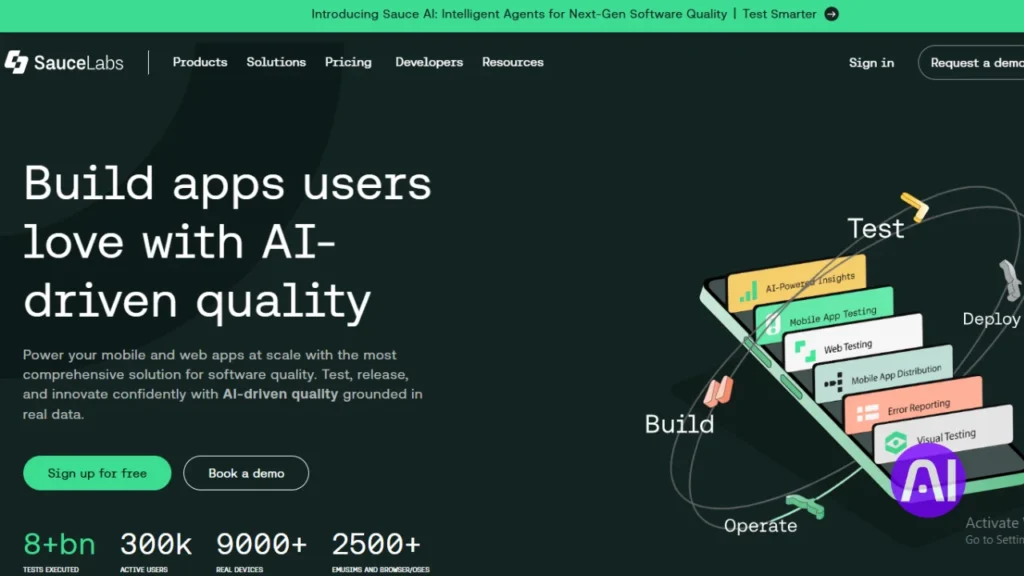
I turn to platforms that combine deep test coverage with monitoring so teams catch regressions before users notice.
Overview
I present Sauce Labs as a comprehensive quality platform that extends web and mobile testing into deep api testing and monitoring. Its traffic analysis and predictive detection help reduce failures and improve user experience.
Core features
- Protocol support for REST, SOAP, and GraphQL to cover diverse apis and integrations.
- Parallel request execution to shrink test cycles and speed time to feedback.
- AI-driven traffic pattern analysis and predictive failure detection to surface reliability risks early.
- Real-time alerting and centralized insights tied to user performance metrics and workflows.
Pros and cons
Pros: Wide protocol coverage, mature testing and monitoring, and strong insights that link api health to application performance.
Cons: Extracting full value can require broader platform adoption across teams. Complex configuration has a learning curve for some workflows.
Best for
I recommend Sauce Labs to teams that want to align api health with performance metrics and manage issues proactively at scale. Product and QA groups gain a shared view of integrations quality that speeds cross-team decisions.
| Area | Strength | When to choose |
|---|---|---|
| Protocols | REST, SOAP, GraphQL | Multiple apis and connectors |
| Execution | Parallel runs | Shorten testing time |
| Monitoring | Predictive alerts | Reduce false positives and prioritize real issues |
Review pricing tiers against test volume, protocols used, and alerting needs to size spend correctly. In my experience, the platform’s insights improve release confidence and keep integrations consistent across critical systems and software.
4. RapidAPI
I value platforms that let developers discover connectors quickly while giving security and finance teams visibility into usage and pricing. RapidAPI acts as a large marketplace and a central hub to manage many apis and internal services.

Overview
I position RapidAPI as a platform that connects thousands of apis while adding governance and analytics at scale. It centralizes key and access management, enforces contracts, and surfaces usage trends across teams.
Core features
- API usage analytics with anomaly detection and real-time dashboards to spot drift and performance issues.
- Centralized credential and key management plus automated contract enforcement tied to company policy.
- Marketplace depth of connectors that speeds discovery and accelerates development across applications and services.
Pros and cons
- Pros: Strong governance, scalable policy automation, and clear pricing visibility for enterprise teams.
- Cons: Marketplace breadth needs curation to avoid overlapping choices; dashboards require training to unlock full insights.
- Testing note: Built-in anomaly detection and contract checks reduce manual test load in ongoing workflows.
Best for
I recommend RapidAPI for enterprise cases where many teams publish and consume apis and need consistent security, compliance, and pricing reports. It also fits businesses that want a single place for developers and users to find integrations and manage usage contracts.
| Focus | Strength | When to choose |
|---|---|---|
| Marketplace | Connector breadth | Discover many services fast |
| Governance | Policy & key management | Enforce company rules at scale |
| Insights | Real-time dashboards | Forecast pricing and spot anomalies |
5. SmartBear ReadyAPI
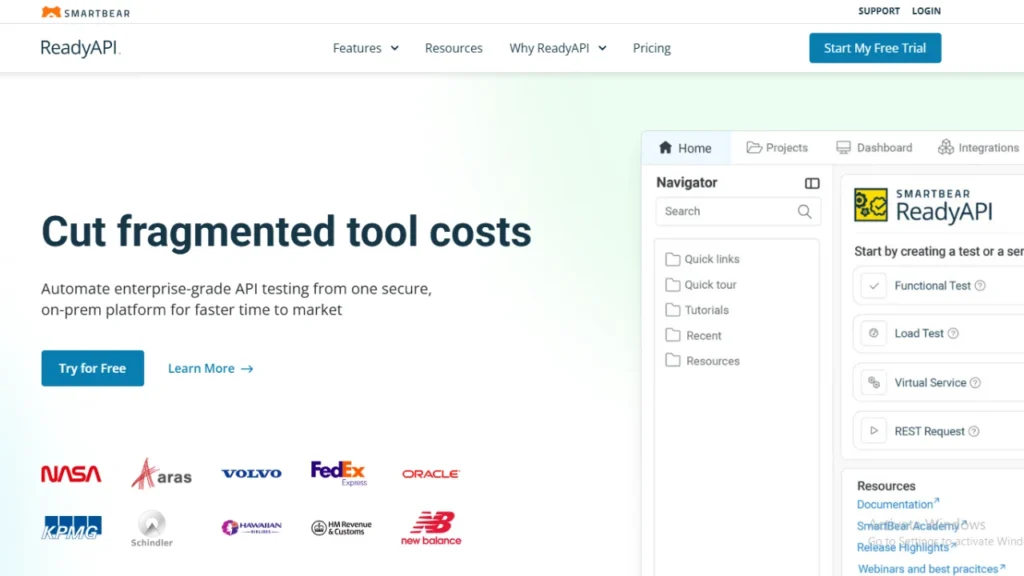
I view ReadyAPI as a testing suite that blends machine-driven data with policy-aware workflows to speed reliable releases. It is an automation-first platform that focuses on quality, traceability, and compliance for complex applications.
Overview
I introduce ReadyAPI as a suite that applies models to generate realistic test data and build assertions from service contracts. It pairs continuous monitoring and regression detection with security-aware test options to meet privacy requirements.
Core features
- ML-driven test data generation that mimics production inputs.
- Automated assertion creation derived from OpenAPI and contract specs.
- Continuous monitoring and regression alerts to catch drift early.
- Integrations with source control and CI systems to keep tests alongside code.
Pros and cons
- Pros: Deep testing capabilities, governance-friendly workflows, and security-focused checks that align with compliance needs.
- Cons: Initial setup can take time in complex environments; teams may need training to realize full automation value.
Best for
I recommend ReadyAPI to enterprise teams that need structured test workflows, strict policy alignment, and regression control. Map pricing to the number of services, test concurrency, and support needs to ensure coverage as applications scale.
| Area | Strength | When to choose |
|---|---|---|
| Data generation | ML-driven realism | Simulate production scenarios |
| Traceability | Source control & CI hooks | Keep tests with code and CI pipelines |
| Governance | Security-aware testing | Compliance-focused teams |
6. Apigee API Monitoring
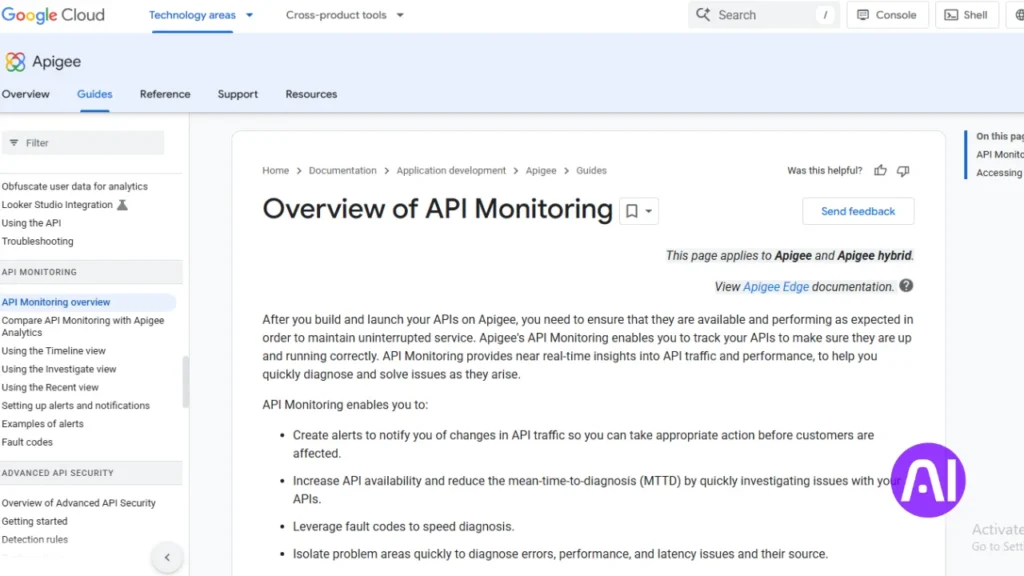
I see Apigee Monitoring as an enterprise operations platform that ties observability, policy, and compliance into a single view. It helps me track api traffic, surface performance issues, and map incidents back to business metrics.
Overview
Apigee provides automated anomaly detection and capacity forecasting to reduce surprises in production.
It layers auditing and policy governance so teams can prove regulatory compliance while keeping access controls tight.
Core features
- Automated anomaly detection and predictive capacity planning to prevent outages.
- Policy governance and detailed audit trails that meet regulatory needs.
- Deep integration with Google Cloud analytics and services to correlate api signals with applications and business data.
- Alerts and policy checks that complement existing test pipelines and CI workflows.
Pros and cons
Pros: Strong enterprise posture with clear reliability insights, granular access policies, and compliance-oriented auditing.
Cons: Full benefits are clearest for teams already on Google Cloud; setup and training take planning time.
The platform reduces incidents and improves visibility, but teams should budget time to onboard and model traffic patterns.
Best for
I recommend Apigee Monitoring to regulated industries and large enterprises that need central governance across many systems and teams.
It also fits organizations that must document audits while keeping development velocity high. Scope pricing to traffic volumes, proxy count, and support level to align spend with growth.
| Capability | Impact | When to prioritize |
|---|---|---|
| Anomaly detection | Faster issue discovery and fewer outages | High-traffic services or customer-facing apis |
| Policy & auditing | Prove compliance and tighten access | Regulated sectors and enterprise security teams |
| Cloud analytics integration | Link api performance to business outcomes | Teams using Google Cloud for reporting and AI models |
7. Merge
I choose platforms that let non-engineering teams spot and triage issues without pulling engineers off critical work. Merge fits that need with a single integration surface and shared models that simplify day-to-day operations.
Overview
Merge provides a unified api that spans CRM, marketing automation, file storage, ticketing, and accounting. It exposes a single interface and common models so I can connect many providers without writing dozens of direct connectors.
Core features
- Broad connectors across major categories to reduce one-off code.
- Common models that normalize objects and fields across providers.
- Integration management that surfaces issues so teams can triage quickly.
- Flexible data access beyond common models for edge cases.
- Documentation and SDKs that help developers build and maintain integrations.
Pros and cons
Pros: I get faster delivery of integrations and simpler maintenance because shared models cut duplication. The interface and tooling also reduce fragmentation for users and internal teams.
Cons: Deep, provider-specific capabilities may still need custom handling. Teams should plan mapping work and validate edge-case behavior during a POC.
Best for
I recommend Merge to product teams building customer-facing integrations across many categories. It suits companies that want success teams to triage issues alongside engineers.
Testing benefits: standard models simplify test creation and keep regression checks consistent across providers. Check pricing by categories and volume to match growth in integrations and user demand.
Conclusion
My aim in this conclusion is to turn the comparisons into clear next steps for product and ops teams. Each vendor review used the same structure so you can compare governance, testing, pricing, and scalability without guesswork.
I match DreamFactory and Apigee Monitoring when governance and enterprise controls lead. Pick Postman, ReadyAPI, or Sauce Labs when continuous testing and runtime insights drive quality. RapidAPI fits marketplace scale and policy enforcement, while Merge speeds product integrations with shared models.
Startups should favor transparent pricing and fast onboarding. Enterprises must prioritize security, reliability, and clear ownership. Pilot one governance platform and one testing platform where needed, capture lessons, and keep documentation and SLAs current. That approach helps teams deliver better experience to users while scaling integrations safely with agents and automation step by step.
FAQ
What does API integration mean for my technology stack right now?
API integration ties separate services and data sources together so my apps share information and workflows. I focus on clear interfaces, consistent authentication, and scalable endpoints so services perform reliably under load. This reduces manual work, speeds development, and improves user experience across web, mobile, and backend systems.
How does machine learning change reliability, observability, and automation in integrations?
Machine learning helps predict failures, detect anomalies, and surface performance trends that I might miss with rule-based monitoring. I use models to prioritize alerts, automate remediation steps, and suggest schema or mapping changes. That said, I still rely on strong observability signals and human review for critical decisions.
What selection criteria do I use when choosing solutions for enterprise versus startup needs?
For enterprises I prioritize security, governance, SLA-backed support, and vendor maturity. For startups I weigh speed to market, cost, and ease of use. In both cases I check documentation quality, SDK availability, testing capabilities, and how a tool fits existing CI/CD and cloud environments.
How did I match specific platforms to common use cases and industries?
I mapped each platform to workflows like API testing, cataloging, monitoring, or unified payroll and HR access by comparing core features, connector libraries, and case studies across finance, healthcare, and e-commerce. Practical fit matters more than hype.
What key signals do I look for in documentation, support, and pricing?
I look for up-to-date docs, interactive examples, SDKs in main languages, responsive support channels, and transparent pricing tiers. Predictable costs and clear limits help me plan capacity and avoid surprises during scaling.
What should I expect from DreamFactory in terms of features and use cases?
DreamFactory generates REST APIs from databases quickly and includes role-based access control, API key management, and scripting hooks. I use it for rapid backend creation and data exposure projects where I want minimal hand-coding.
What are DreamFactory’s main pros and cons?
Pros include fast API generation and strong database support. Cons are limited enterprise integrations out of the box and a steeper learning curve for custom scripting. It’s great when I need a quick API layer for existing data.
How does Postman help with development and testing workflows?
Postman provides request building, automated test collections, mock servers, and CI integration. I use it to validate endpoints, run regression tests, and share examples with teammates. Its collaboration features help keep contracts aligned across teams.
What trade-offs does Postman present?
Postman is powerful for testing but can be heavy when used solely as a lightweight client. Enterprise features are useful but add cost. For small teams, the free tier often suffices; larger organizations benefit from its collaboration and monitoring features.
When should I use Sauce Labs in my integration strategy?
I use Sauce Labs when cross-browser and device testing matter, especially for front-end interactions with APIs. It helps validate end-to-end flows under real-world conditions and supports automated Selenium and Appium tests for regression suites.
What are Sauce Labs’ strengths and limitations?
Strengths include extensive device coverage and cloud-based test execution. Limitations are cost at scale and occasional setup complexity for custom test environments. It’s ideal when automated UI validation is critical.
How does RapidAPI speed connector development and discovery?
RapidAPI offers a marketplace and management layer where I find, test, and subscribe to third-party APIs. It simplifies onboarding and centralizes keys and usage, which shortens integration cycles for common services like payments or messaging.
What should I consider as pros and cons of RapidAPI?
Pros are fast discovery and unified billing. Cons include dependency on third-party providers and variable SLA guarantees. I use it to prototype integrations quickly and then evaluate direct vendor contracts for production scale.
What does SmartBear ReadyAPI provide for contract testing and automation?
ReadyAPI focuses on API functional testing, security scans, and virtualization. I use it to validate schemas, run load tests, and simulate unavailable services so development can continue in parallel with backend work.
What are the upsides and downsides of ReadyAPI?
The upsides are deep testing features and enterprise reporting. Downsides are licensing cost and a steeper setup curve compared with lighter tools. It’s best for teams that need comprehensive API test automation.
How does Apigee support API monitoring and governance?
Apigee provides API gateway features, analytics, and policy enforcement. I use it to manage traffic, secure endpoints with OAuth and rate limits, and generate analytics that inform capacity planning and product decisions.
What trade-offs come with using Apigee?
Apigee offers rich functionality but comes with higher complexity and cost. It’s well suited to large organizations that need centralized API governance and detailed traffic insights.
What makes Merge useful for unified data access?
Merge standardizes HR, payroll, and accounting APIs into a single schema so I can integrate multiple vendors without writing custom adapters. It reduces maintenance and speeds integrations with common business systems.
What are Merge’s pros and cons and ideal use cases?
Pros include rapid integration across many providers and reduced mapping effort. Cons can include abstraction limits if I need vendor-specific features. I choose Merge when I want a uniform interface to multiple SaaS systems.