I curate a short, practical guide to help you compare leading voice platforms today. Instead of hype, it emphasizes realism, control depth, and how each tool actually fits into a real U.S.-based workflow. The goal is to make choosing among the best AI tools for text-to-speech clearer, faster, and more practical for everyday use.
I will cover ten dedicated platforms and keep each entry consistent: a brief overview, core features, pros and cons, and the best use case. That repeatable format makes it easy to skim and pick a match.
Expect a mix: all-in-one suites with cloning and studio flows, editors with phoneme and timing control, and developer-grade APIs with many voices and streaming. I call out licensing limits, free plan caps, and team pricing so you know what to budget.
I used public facts like voice counts, SSML support, and multi-voice features to shape expectations. Each tool gets a balanced view so you see strengths and trade-offs before you try it.
Key Takeaways
- I compare platforms by voice realism, control, and workflow fit.
- Each tool section follows the same four-part structure for quick scans.
- Licensing, free limits, and paid flexibility matter for US production work.
- Look for SSML, multi-voice support, and phoneme-level fixes for hard words.
- Brands range from studio suites to editors and developer APIs.
Best AI Tools for Text-to-Speech at a glance in the United States
Here’s a compact snapshot of ten voice platforms to speed your platform pick. I focus on tools that target creators, studios, and developers in the United States.
I list each option with a quick note on where it excels: lifelike speech, emotional nuance, multi-voice projects, or enterprise APIs. This helps you match platform strengths to your project needs before diving deeper.
Below is a short comparison to narrow choices fast. I flag which platforms offer usable free plans and which are built for studio editing versus API integrations.
| Platform | Core strength | Studio vs Developer | Notable use |
|---|---|---|---|
| ElevenLabs | All-in-one voice creation and cloning | Studio | Podcast voice design |
| Hume | Custom voices with emotional cues | Studio | Character-driven narration |
| Speechify | Human-like cadence, multi-voice scripts | Studio | Long-form course audio |
| WellSaid | Precision timing and pronunciation editor | Studio | Training modules with tight pacing |
| Google Cloud TTS | 380+ voices, SSML, streaming APIs | Developer | Enterprise integrations |
I’ll cover each platform’s features, pros and cons, and best use cases in the next sections. If you want a broader roundup that includes some alternate picks, see this voice generator roundup.
1. ElevenLabs | lifelike voices, studio workflow, and voice cloning
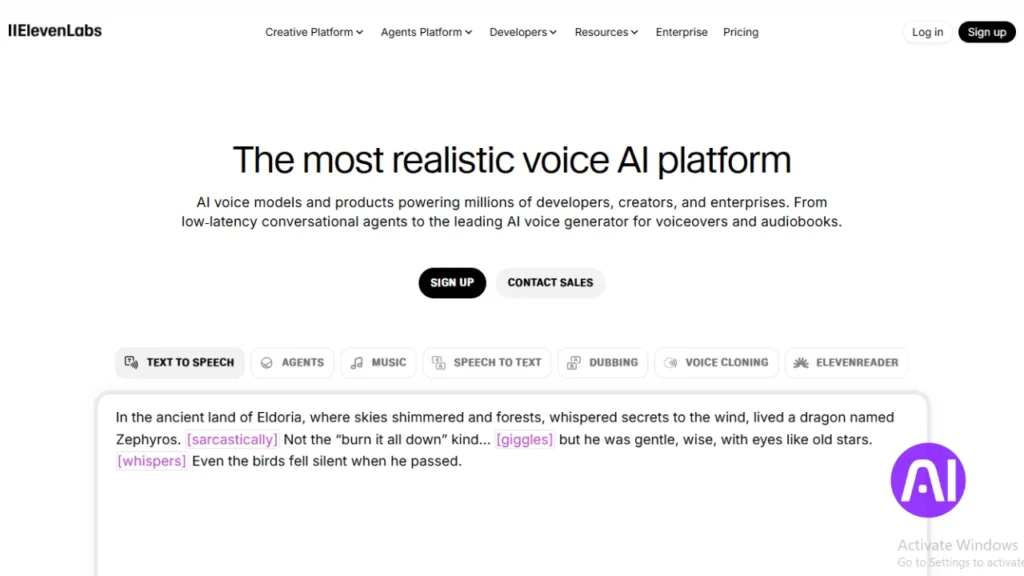
I rely on ElevenLabs when I need a single workspace that handles narration, cloning, and audio design. The studio brings together instant speech, audiobook chapter exports, and music generation so I can build a full audio asset without switching apps.
Overview
In the editor I draft text, tweak performance directions, and audition voices quickly. The v3 alpha model supports bracketed action and tone cues, which helps me shape emotion and timing in short runs.
Core features
- Instant speech and audiobook tools for chaptered exports.
- Digital voice cloning and a curated library of voices.
- Music generation, sound effects, and podcast-style output.
- Conversational agent builder with data training and multi-agent flows.
- Zapier integration to move scripts from docs to cloud storage automatically.
Pros and cons
Pros: lifelike speech, fast studio workflow, and a broad creative feature set. The Starter plan begins at $5 per month and includes a commercial license, while a free plan gives minutes to test voices.
Cons: output can vary on tricky words and some advanced features have a learning curve. I sometimes tweak prompts to get consistent audio quality.
Best for
Use ElevenLabs when you want high realism and a single platform to produce narration, SFX, and music for video or podcast work. It also fits teams that prototype voice cloning and connect agents to business systems.
2. Hume | design a custom voice from a prompt with emotional cues
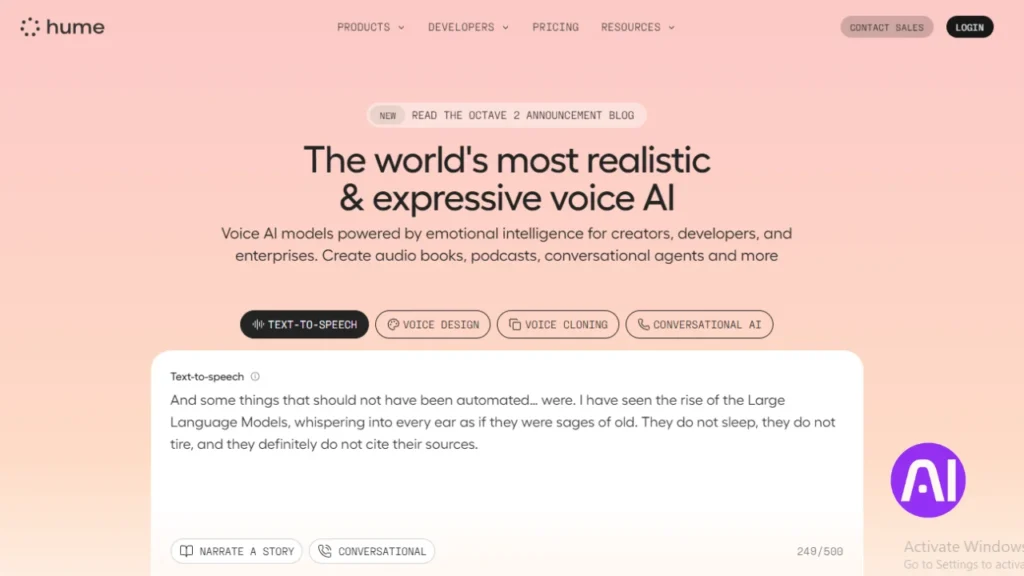
I shape a voice from words alone, using descriptors to guide tone and timing. Hume lets me describe accent, energy, and attitude in plain text and get reliable speech that fits a brand or character.
Overview
I use Hume when I need a signature voice without recording samples. The interface turns short prompts into full voices, and the system can run in real time for conversational agents.
Core features
- Prompt-based voice design with auto-generated starter presets.
- Accent swapping and layered descriptors to refine output.
- Real-time emotion detection with scores that steer delivery.
- Optional facial analysis to tune conversational flow.
- Project-based workflow so teams keep content and variations organized.
Pros and cons
Pros: distinctive custom voice creation and strong emotional intelligence. Privacy is solid; Hume offers zero-data retention options.
Cons: language support centers on English and Spanish now, and free plan minutes are limited. Paid plans scale faster but check limitations free before you commit.
Best for
I recommend Hume to brands that want a unique voice without voice cloning. It also fits emotionally aware agents and creators who prefer prompt-driven control over per-word editing.
| Plan | Minutes | Projects |
|---|---|---|
| Free plan | ~10 min / month | 1–2 |
| Starter | ~30 min / month | up to 20 |
| Paid plans | Higher quotas | Team options |
3. Speechify | human-like cadence, multi-voice projects, and free plan
Speechify shines when you want clean pacing and a simple studio to assemble voice tracks. I find its default delivery often sounds like a seasoned narrator without heavy tweaking.
Overview
The platform focuses on natural speech and quick setup. Its studio makes it easy to layer voices, add music, and export a finished clip fast.
Core features
- Controls for speed, pitch, volume, custom pronunciation, and pause insertion.
- Multi-voice projects so you can cast different voices within one timeline.
- Presentation builder with background music and simple export options.
- Option to add your own voice for cloning to keep brand tone consistent.
Pros and cons
Pros: pleasing cadence, fast setup, and a clear free plan to test workflows (600 monthly studio credits).
Cons: emotional nuance varies by selected voice and advanced editing may need a different editor.
Best for
I recommend Speechify for creators who want quick, clean narration, marketers building slide videos with music, and teams that need a straightforward studio with clear export paths.
| Plan | Free credits | Starter price |
|---|---|---|
| Free plan | 600 studio credits / month | — |
| Studio Starter | Higher quotas | $11.58 / month (commercial use + stock media) |
4. WellSaid | precise pronunciation, word-by-word timing, editor controls
When timing and clarity matter, I reach for a studio-grade editor that lets me tune every syllable. WellSaid gives me per-word loudness and pace edits so speech stays consistent across long scripts.
Overview
I use WellSaid when a project needs repeatable, editor-grade output. The interface lets me lock pronunciation and pause lengths so brand names and technical terms sound identical in each take.
Core features
- Word-by-word loudness and pace control to shape cadence precisely.
- Punctuation-based pause timing for natural sentence flow.
- Pronunciation replacements to handle tough names and jargon.
- Native Adobe Premiere Pro and Express integrations to stay in my video pipeline.
- Project sharing and documentation to speed team feedback loops.
Pros and cons
Pros: fine-grain editor control, strong audio quality, and enterprise compliance (SOC 2, GDPR). A free trial and clear licensing make testing easy.
Cons: emotional performance options are limited, so it favors consistent narration over theatrical delivery. The Creative subscription runs around $50 per user per month for downloads.
Best for
I recommend WellSaid for training modules, product explainers, and regulated industries that need repeatable pronunciation and reliable output. It fits teams that prefer editor-level controls to improvised voice variation.
| Plan | Trial | Downloads | Compliance |
|---|---|---|---|
| Free trial | Yes | Limited | — |
| Creative | Paid | Included ($50/user/mo) | SOC 2, GDPR |
| Enterprise | Custom | Bulk options | Advanced compliance |
5. DupDub | multilingual phoneme-level control and audio quality options
For projects with dense terminology, I prefer an editor that gives me phonetic controls and tight timing. DupDub offers an on-screen phonetic keyboard so I fix tricky names and acronyms without awkward respelling. The workflow moves from script to voiceover and into a simple video editor in one place.
Overview
I use DupDub when accuracy matters. Phoneme edits let me shape pronunciation at the sound level. That beats guessing with creative spellings when technical words or brand names appear.
Core features
- On-screen phonetic keyboard for precise pronunciation control.
- Acronym handling that outputs letters or full words as needed.
- Over 750 voices in 90 languages and about 1,000 styles to match regions.
- Paragraph and punctuation timing for natural long-form rhythm.
- Integrated video editor so I can export a single file with synced audio and clips.
Pros and cons
Pros: I get fine-grain pronunciation and broad language coverage that speeds localization. Pricing options include a 3-day free plan trial with 10 credits, Personal at $11/month, and pay-as-you-go choices to validate results quickly.
Cons: Realism can trail the very top-tier voice platforms on certain expressive reads. Expect to test voices and adjust phonemes to match your desired output.
Best for
I recommend DupDub for technical scripts, medical terms, and global brand names where precise pronunciation is non-negotiable. It also fits teams producing multilingual videos and small productions that want an all-in-one platform.
| Feature | What it offers | Why it matters | Typical plan |
|---|---|---|---|
| Voices & languages | 750+ voices, 90 languages, 1,000 styles | Match regional expectations and maintain brand tone | Personal $11/mo or pay-as-you-go |
| Pronunciation control | Phonetic keyboard, acronym options | Accurate delivery of names, acronyms, and jargon | Free 3-day trial (10 credits) |
| Workflow | Script → voiceover → video editor | Export a synced file without switching platforms | Personal or team plans |
6. Respeecher | engaging speech variations for natural-sounding output
I turn to Respeecher when I need lively, non-robotic reads that keep listeners engaged. The platform brings subtle variation so narration stays fresh across long scripts.
Overview
Respeecher emphasizes dynamic delivery and pro-grade imports. It has a production pedigree; teams used it to restore an iconic voice in a major franchise. That track record shows in typical audio quality and final results.
Core features
- Pitch calibration and emotional range controls to shape delivery across a script.
- Grouped takes by script section so I can compare alternate readings quickly.
- Integration with Avid Pro Tools for seamless post workflows.
Pros and cons
Pros: lively output that avoids monotone, strong studio integrations, and predictable exports. Results often sound more human with less manual tweaking.
Cons: the interface can feel unintuitive at first. The US-English baseline may color some accents unless you adjust settings.
Best for
I recommend Respeecher for documentary narration, trailers, and character work that needs evolving intonation. It suits studios on Avid pipelines and creators who want engaging output with minimal manual variation, including selective voice cloning projects.
| Feature | Impact | Typical use |
|---|---|---|
| Variation engine | Makes reads sound natural and evolving | Documentary and trailer narration |
| Pro integrations | Smooth import/export with NLE workflows | Avid Pro Tools pipelines |
| Pitch & emotion controls | Fine-tune tone across scenes | Character work and branded content |
7. Altered | advanced creation and editing controls for voice projects
When a project needs high-precision edits across many takes, I turn to a studio that treats each clip like a craft.
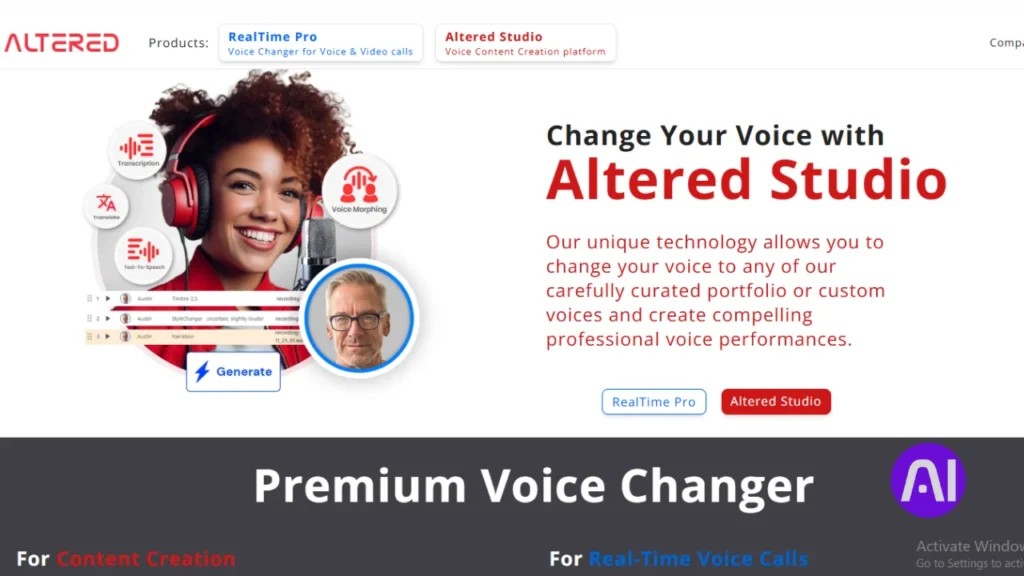
Altered is a robust editor aimed at complex voice work. It supports multi-pass revisions and keeps project files organized so I can iterate without losing context.
Overview
I use Altered when a project demands detailed timeline work and consistent delivery across scenes. The platform blends DAW-style controls with modern speech features so producing long-form audio stays efficient.
Core features
- Granular timeline controls and clip-level edits for tight pacing.
- Multi-track project management to layer narration, effects, and music.
- Tone and emphasis shaping across scenes to keep voice continuity.
- Collaboration and review tools to speed feedback on script sections.
- Support for different voice assets and voice cloning where licensing allows.
Pros and cons
Pros: deep editing features suit production teams and post houses. A free plan exists so I can test workflows before moving to paid plans that start near $30 per month.
Cons: the learning curve is steeper than simple studios, and solo creators may find the interface more than they need.
Best for
I recommend Altered for agencies, post houses, and podcast producers who need iterative edits and precise control. It also fits audio dramas and teams moving from DAWs that want familiar precision in an editor-forward platform.
| Editing depth | Collaboration | Voice cloning | Price start |
|---|---|---|---|
| Clip-level timeline controls | Review notes, shared projects | Supported (licensed) | Free plan; paid plans ~$30/mo |
| Multi-track sessions | Version history and comments | Asset library for branding | Team and enterprise options |
8. Murf | emphasis control, voice library, and project-ready editor
When I want emphasis that lands in demo videos, Murf gives me quick, reliable controls. It helps me punch key words and shape lines so marketing reads and explainer clips feel intentional. The platform balances simple editing with useful speech controls and a clean workflow.
Overview
I use Murf to highlight important words and keep narration steady across scenes. Its editor makes it simple to line up audio with on-screen text and visuals. A solid voice library helps me match tone without endless tweaking.
Core features
- Emphasis control plus speed and pitch adjustments to shape delivery.
- A broad voice library and pronunciation tools to lock brand names.
- Project editor with scene arrangement, background tracks, and timing alignment.
Pros and cons
Pros: straightforward editor, clear emphasis options, and dependable speech quality that fits most promo work. There is a free plan to test basics and paid plans start around $19/month for production use.
Cons: realism is good but not always the most natural on highly expressive reads. A few advanced options are behind higher tiers.
Best for
I recommend Murf to marketing teams, tutorial creators, and anyone making short videos who want fast, reliable output and a gentle learning curve.
9. TTSMaker | best free voice generator with simple workflow
When time and cost are tight, I pick a lightweight platform that delivers usable narration fast. TTSMaker is a no-frills generator with a strong free plan that helps me test scripts without setup or payment details.
Overview
I use TTSMaker to turn short text into clear speech in seconds. The interface keeps options minimal so I can move from draft to download quickly.
Core features
- Straightforward text input and instant generation.
- Basic controls for speed and pitch to shape delivery.
- A small selection of voices to compare reads fast.
- Direct export so you get an audio file ready to reuse.
- Minimal interface geared toward first-time users and quick tests.
Pros and cons
Pros: standout free access, simple workflow, and exports that work in common projects. The free voice option makes it easy to validate ideas without costs.
Cons: advanced editor features and the very highest realism are limited. Paid plans start at $9.99 per month if you need more minutes or extra options.
Best for
I recommend TTSMaker to budget-conscious creators, students, and anyone who wants a quick draft of narration before moving to a studio-level platform. It also fits small projects where setup time and cost must stay near zero.
| Plan | Free minutes | Paid start |
|---|---|---|
| Free plan | Generous starter minutes | $0 |
| Starter | Higher quotas | $9.99 / month |
| Use case | Quick drafts & testing | Upgrade when scaling |
10. Google Cloud Text-to-Speech | 380+ voices, SSML, streaming, and APIs
I need an API-first service when projects must scale with reliable speech and global language coverage.
Overview
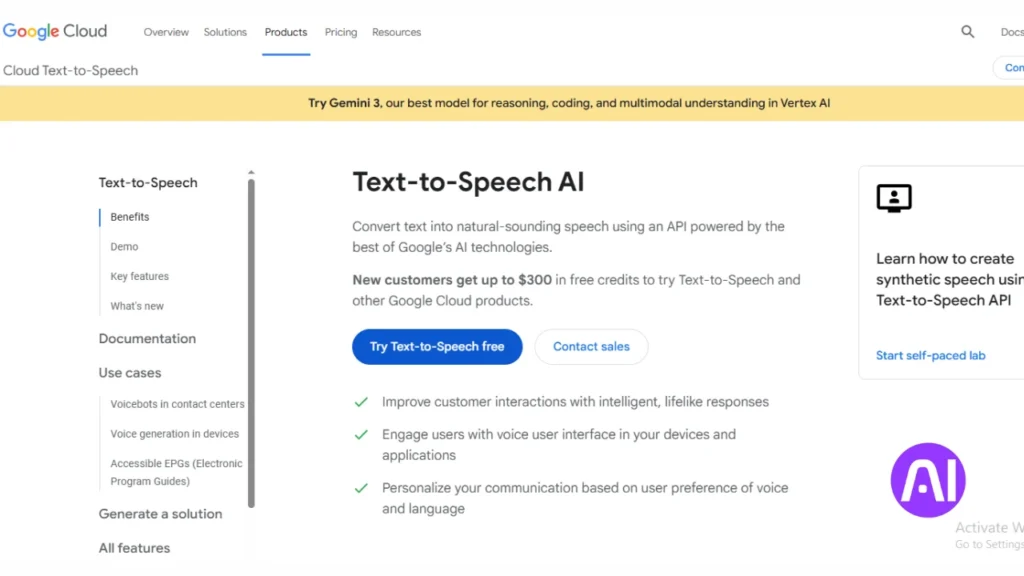
Google Cloud Text-to-Speech gives me over 380 voices across 75+ languages and variants. The service shines when I build apps, IVRs, or services that require low-latency streaming and predictable output.
Core features
- SSML support for precise pronunciation, pauses, and pacing.
- Low-latency streaming and long-audio synthesis (up to 1,000,000 bytes).
- Pitch control ±20 semitones, speaking rate up to 4x, and volume gain from -96 dB to +16 dB.
- REST and gRPC APIs, plus MP3, Linear16, and OGG Opus formats and audio profiles for varied playback.
- Newer capabilities: Gemini-TTS prompt control, Chirp 3 HD voices, and instant custom voice from ~10s samples in 30+ locales.
Pros and cons
Pros: massive voice choice, strong developer tools, global availability, and clear character-based pricing with generous free tiers (first 1M chars free for WaveNet; first 4M free for Standard). New users also get up to $300 in Google Cloud credits.
Cons: integration takes developer time compared to drag-and-drop studios. You may need engineering resources to tune SSML and profiles for best audio quality.
Best for
I recommend Google Cloud TTS when you build large-scale apps, enterprise services, or production pipelines that need an API-first approach, SSML control, and reliable, global voice options.
| Feature | What it offers | Why it matters |
|---|---|---|
| Voices & Languages | 380+ voices, 75+ languages | Scale and localization across markets |
| Streaming & Formats | Low-latency streaming, MP3/Linear16/OGG | Real-time agents and flexible file outputs |
| Custom & Models | Gemini-TTS, Chirp 3 HD, instant custom voice | Natural performance and fast branded voice creation |
How I choose the right TTS tool for my content, platforms, and budget
I begin by mapping project goals to platform strengths, then run quick audio checks. This helps me save time and avoid costly rewrites.
Overview
I weigh realism, editor control, and audio quality first. For explainers I favor cadence and pace. For compliance or training reads I pick precision and phoneme controls.
I also check voice libraries and language coverage so localization scales without rework. Integration needs come next: Zapier, REST, gRPC, Adobe, or Avid matter when the pipeline must be seamless.
- Match content type to platform strength: cadence-first for explainers, precision-first for compliance.
- Decide how much editor control you need: word timing, prompt direction, or SSML.
- Audit free plan minutes, licensing, and subscription limits to avoid surprises.
- Test hard words, brand names, and accents with phoneme or replacement tools.
- Run a short pilot that measures iteration speed, cost, and final sound.
| Content type | Feature emphasis | Integration/export | Subscription note |
|---|---|---|---|
| Explainers & promos | Cadence, emphasis controls | MP3, simple studio export | Look for free credits to test |
| Training & compliance | Word-by-word timing, phonemes | High sample rates, loudness control | Commercial license required |
| Audiobooks & courses | Multi-voice, chapter tools | Chapter export, DAW integrations | Check per-minute pricing |
| Apps & agents | SSML, low-latency streaming | REST/gRPC APIs, streaming | Engineered plans and credits |
If you want a broader technical roundup and side-by-side picks, see this detailed comparison to cross-check platform options and pricing.
Conclusion
I close with a short, usable plan to turn this list into real results. I recap ten dedicated platforms that span studio suites, prompt-driven emotional systems, editor-grade timing, phoneme accuracy, lively variation engines, deep project editors, budget generators, and enterprise APIs with 380+ voices and SSML support.
Overview
Start on a free plan to validate workflow, then scale to paid tiers as hours and needs grow. Test the same short script across a few finalists to hear differences in tone, pacing, and quality.
Prioritize pronunciation, timing, and loudness so brand voice stays consistent in videos and other content. Combine smart prompting or SSML with light edits instead of over-directing every sentence.
Bookmark the platforms you like, set aside a few hours to prototype an end-to-end segment, and follow the docs and quick-start links. You’ll find the option that gives reliable output with minimal friction and a signature sound that fits your project and workflow.
FAQ
How do I pick the right text-to-speech platform for my project?
I evaluate audio quality, voice variety, editor features, file export options, pricing, and whether the service supports voice cloning or SSML. I also match the tool to my target platforms (podcasts, videos, apps) and budget before deciding.
Which services offer realistic voice cloning and custom voice creation?
I rely on platforms like ElevenLabs, Respeecher, and Hume for voice cloning and custom voices. Each has different controls, legal safeguards, and accuracy, so I test samples and check licensing terms before use.
Can I use these platforms for commercial projects and distribution?
Yes, many providers allow commercial use, but I always read the license and terms of service. Some voice clones or premium voices may require additional permissions or credits for wide distribution.
Are there free options with decent audio quality?
I recommend trying free tiers such as TTSMaker or Speechify’s basic plan to test workflow and voice quality. They work well for short projects, but paid plans usually unlock higher fidelity, more voices, and batch processing.
How accurate is pronunciation and can I control it?
Tools like WellSaid and Google Cloud let me tweak pronunciation with SSML or phoneme-level edits. I use SSML tags or editors that provide word-by-word timing to fix names, acronyms, and nonstandard words.
What file formats and delivery options should I expect?
Most services export MP3 or WAV. Some provide streaming APIs, direct cloud storage, or project-ready editors for video integration. I check available sample rates and bitrates for broadcast or podcast standards.
How do I manage voice consistency across multiple episodes or videos?
I save project presets, use the same voice ID or cloned voice, and keep consistent SSML or timing settings. For teams, I lock voice libraries or share project files to maintain continuity.
How long does it take to generate high-quality narration?
Small scripts render in seconds to minutes. Longer or studio-grade projects with editing, prosody tuning, or voice cloning can take hours or multiple iterations, depending on the platform and subscription level.
Which platforms integrate best with video and podcast workflows?
I favor services with project editors and direct export options like Murf, WellSaid, and Google Cloud for seamless video and podcast production. Look for timeline editors and multi-voice support when pairing with video tools.
Are multilingual voices and phoneme control widely available?
Yes, DupDub and Google Cloud offer broad language support and phoneme-level controls. I test accents and language-specific pronunciation before finalizing to avoid awkward phrasing.
What are typical limitations of free plans?
Free tiers often limit monthly minutes, restrict high-fidelity voices, and omit advanced features like voice cloning, commercial licensing, or batch exports. I upgrade when I need consistent quality and scale.
How do I ensure ethical use when cloning a real person’s voice?
I obtain explicit written consent, verify legal terms in the platform’s policy, and document permissions. Responsible platforms also require proof of consent before activating voice cloning features.
Can I edit emotion, emphasis, and pacing in speech outputs?
Absolutely. Hume and Altered provide tools to add emotional cues; Murf and WellSaid let me control emphasis and pacing. I use these features to make narration sound natural and engaging.
Do these services support API access for automation?
Many providers, including Google Cloud and ElevenLabs, offer APIs for streaming and programmatic generation. I use APIs to integrate TTS into apps, e-learning platforms, and automated workflows.
How much does high-quality TTS typically cost?
Pricing varies: pay-as-you-go rates, subscription tiers, and enterprise plans exist. I compare per-minute rendering costs, included credits, and team features to estimate monthly spend for my projects.