I put this product roundup together with a U.S. audience in mind. I want you to compare dedicated solutions quickly and without fluff. My goal is to show software you can use right now to improve gameplay and development workflows.
I define dedicated gaming software as purpose built gear that helps developers and players alike. Each entry follows the same format: Overview, Core features, Pros and cons, and Best for. That way every reader sees consistent assessment across every pick.
In this article, I preview nine picks that cover content creation, testing, analytics, audio, and systems design. I explain how these technologies plug into real pipelines, from modding and indie work to live updates, making the impact on day to day production clear.
I also set selection criteria up front: compatibility, learning curve, pricing, and data practice. And I tested each product in real games to keep the advice practical. You will not find vague platform lists here. I focus only on purpose built software that improves gameplay, builds richer worlds, and supports creative design while saving time.
Key Takeaways
- This roundup targets U.S. developers and players seeking practical, ready saolutions.
- Every entry uses a fixed structure so you can compare tools side by side.
- Nine picks span creation, QA, analytics, audio, and systems design.
- Selection is based on compatibility, ease of use, pricing, and data handling.
- I tested each solution in real game settings to verify impact on engagement.
Why AI Tools for Gamers Matter Right Now
Today I explain why intelligent software solutions are changing how games are made and played. These focused solutions impact gameplay, production speed, and player engagement in practical ways.
How this technology elevates gameplay, creation, and community
Smart systems let characters respond to player actions in real time and tune mechanics to match skill and taste. That creates more personal experiences across genres and raises perceived quality.
Content pipelines speed up when designers and artists can offload repetitive work. More time goes to high-level design, which improves visuals and game development outcomes without blowing schedules.
Testing and analytics catch soft locks and performance dips earlier, helping small studios protect release dates. Better data also reveals churn risk and balance issues that would be hard to spot manually.
What I set out to help you find today:
My goal is to map the right dedicated solution to needs like creation, QA, or analytics so you can pick based on compatibility, learning curve, and pricing.
- Where a tool saves time in production and raises player engagement.
- Which options fit studio size, learning limits, and privacy requirements.
- How each pick improves mechanics, visuals, audio, or testing in real projects.
My Top AI Tools for Gamers: Curated Picks and Practical Use Cases
Here are nine practical picks that I used in actual game builds to save time and improve engagement.
1) MeshMint
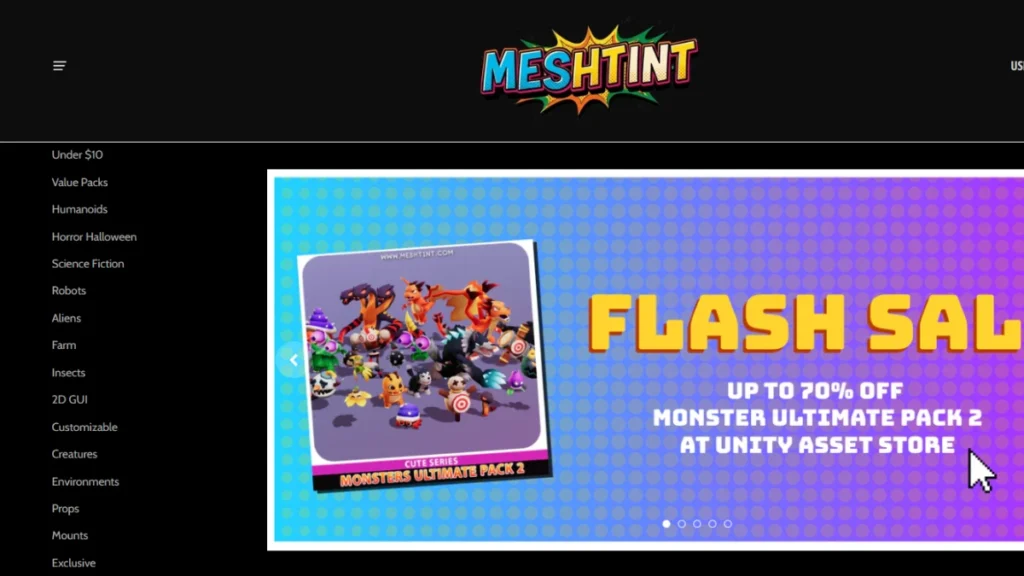
MeshMint turns simple text prompts into clean, production ready 3D meshes, helping creators skip long modeling hours and move straight into building. It is built for speed without sacrificing structure, making it ideal for teams and solo creators who need to iterate quickly.
Behind the scenes, it handles many of the technical cleanup tasks that usually slow artists down, so you can focus more on creativity and less on fixing geometry.
Core features:
Prompt-to-mesh generation
Automatic topology cleanup
Auto UV unwrapping and LODs
Pros and cons:
Pros:
- Saves a massive amount of time compared to manual 3D modeling
- Great for rapid prototyping and experimenting with ideas
- Automatically handles topology, UVs, and LODs with minimal effort
- Easy to use even for creators with limited 3D experience
- Useful across games, animations, and product visualization projects
Cons:
- Limited control compared to fully manual modeling workflows
- Results may require minor tweaks for highly detailed or stylized assets
- Not always ideal for complex organic shapes
- Quality depends heavily on how well the prompt is written
2) PoseForge

Best for: sprite artists and animators focused on fast character sheets.
PoseForge takes a single sprite or character pose and intelligently expands it into full animation sheets within minutes. It is built for creators who need speed without breaking visual consistency.
By understanding proportions, pose flow, and style rules, it helps artists scale character production while keeping every frame visually aligned. This makes it especially valuable for games, visual novels, and animation projects with large character casts.
Core features:
Pose transfer and expansion
Style preservation
Batch export workflows
Pros and cons:
Pros:
- Dramatically reduces the time needed to create full sprite sheets
- Maintains consistent art style across all generated poses
- Ideal for character heavy projects with repeated animations
- Batch exports make pipeline integration smoother
- Helpful for both solo artists and small teams
Cons:
- Complex rigs may still require manual fine tuning
- Unusual body proportions can confuse pose generation
- Less flexibility for highly expressive or experimental poses
- Works best when the base sprite is very clean and well defined
3) EchoCraft
Best for: narrative designers and streamers polishing sound design.
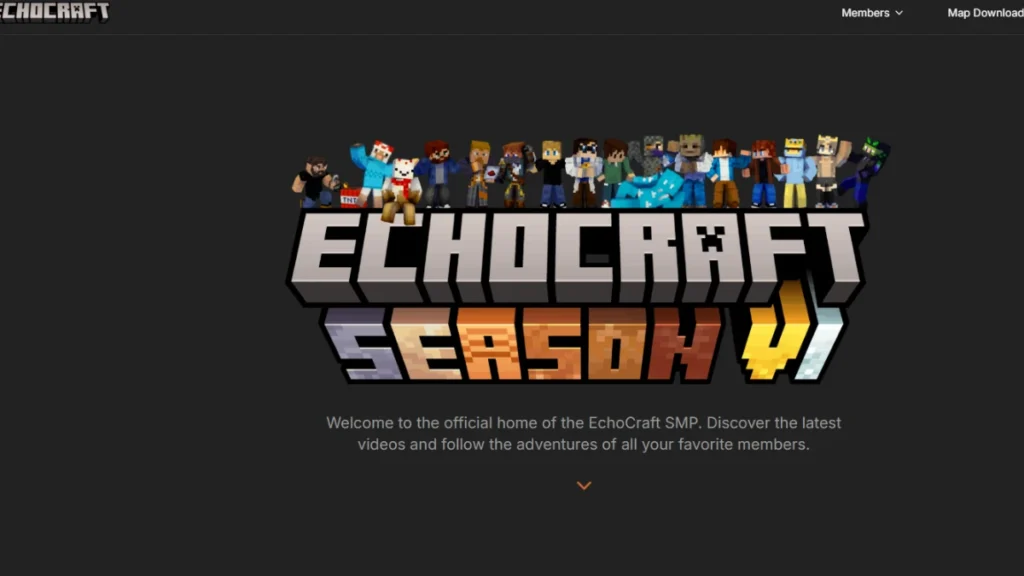
EchoCraft creates adaptive voices and soundscapes that respond to emotion, context, and spatial positioning in real time. Instead of relying on static audio clips, it brings sound to life by adjusting tone, intensity, and placement as scenes evolve.
This makes dialogue feel more human and environments feel more alive, especially in story driven experiences and live content.
Core features:
Emotion-driven audio mixing
Spatial sound cues
Dialogue variation generation
Pros and cons:
Pros:
- Strongly boosts immersion and emotional impact
- Makes dialogue feel dynamic rather than repetitive
- Excellent for storytelling, games, and live streaming
- Reduces the need for extensive voice recording sessions
- Adds depth to environments through spatial audio
Cons:
- Audio consistency can drift during long sessions
- Requires careful tuning to maintain tonal balance
- Not ideal for creators who need absolute audio uniformity
- Learning curve for fine control over emotional ranges
4) BugScout

Best for: small studios tightening QA before launches.
BugScout automates playtesting by running simulated gameplay sessions at scale, helping teams uncover crashes, exploits, and logic failures long before release.
It is built to strengthen QA pipelines by focusing on coverage and repeatability, two areas where manual testing often falls short. By reproducing issues consistently, it allows developers to fix problems faster and with more confidence.
Core features:
Automated simulated runs
State coverage mapping
Reproducible error logs
Pros and cons:
Pros:
- Reduces the overall manual QA workload significantly
- Finds crashes and logic issues that are easy to miss manually
- Reproducible logs make debugging faster and more reliable
- Improves overall build stability before launch
- Scales well for frequent updates and patches
Cons:
- Creative or player driven edge cases can still be missed
- Does not replace the need for real human playtesting
- Setup may take time for complex game systems
- Best results require thoughtful configuration of test scenarios
5) PulseLens
Best for: live services and competitive build optimization.
PulseLens delivers deep analytics and player insight tools designed to help teams understand what keeps players engaged, where balance breaks down, and how monetization performs over time.
It turns raw gameplay data into clear, actionable guidance, making it easier to tune live products without relying on guesswork. This makes it especially valuable for games and apps that evolve continuously.
Core features:
Cohort analysis
Churn prediction
Live performance dashboards
Pros and cons:
Pros:
- Supports smarter, data driven decision making
- Helps identify retention and churn risks early
- Useful for balancing competitive and live service products
- Dashboards make complex data easy to understand
- Strong aid for long term product optimization
Cons:
- Requires strong data governance to stay compliant
- Privacy handling must be done carefully to maintain trust
- Insights are only as good as the data collected
- Can overwhelm teams without clear analytics goals
6) TexGen Studio
Best for: teams polishing visuals and asset creation cohesion.
TexGen Studio helps teams generate high quality, tileable PBR textures and materials in a fraction of the usual time. It is built for environment production at scale, where visual consistency matters just as much as speed.
By matching styles across assets and handling technical texture details automatically, it allows artists to focus on world building rather than repetitive texture work.
Core features:
Style matched texture generation
Seamless tiling
Channel packing for PBR workflows
Pros and cons:
Pros:
- Speeds up environment and level production
- Maintains strong visual cohesion across large scenes
- Produces clean, tileable PBR ready textures
- Reduces repetitive manual texture work
- Fits well into modern game and 3D pipelines
Cons:
- Highly specific or niche styles may need manual refinement
- Less control for artists who prefer fully hand crafted textures
- Best results depend on clear style references
- Not ideal for one off, highly experimental materials
7) ModSmith
Best for: new modders and advanced power users across platforms.
ModSmith supports scripting and mod development by offering smart, context aware guidance at every step. It is designed to lower the learning curve for beginners while still providing the depth that experienced modders expect.
With built in debugging help and platform specific insights, it helps creators move faster without feeling overwhelmed.
Core features:
API aware code hints
Integrated debugging explanations
Platform specific support
Pros and cons:
Pros:
- Makes modding more accessible for beginners
- Boosts productivity for experienced modders
- Reduces time spent tracking down scripting errors
- Supports multiple platforms and frameworks
- Encourages cleaner and more structured code
Cons:
Cons:
- Overreliance can slow deeper skill development
- Suggestions may not fit highly customized workflows
- Still requires basic scripting knowledge to use effectively
- Not a replacement for understanding underlying systems
How I Choose and Use AI Tools for Gamers
I pick tools with real pipeline fit, not hype, and I test how they change daily workflows. My aim is practical: compatibility, learning overhead, pricing, and data practice drive each decision.
Below I explain criteria I use, then give workflow steps that help teams integrate creation, QA, and live tuning without breaking timelines or player trust.
Key criteria I apply
- I check compatibility across engines and target platforms so systems plug into current game builds and future projects.
- I rate learning curve by onboarding time, docs, templates, and community examples that cut training time.
- I compare pricing models, noting when freemium suits prototypes and when paid seats affect studio budgets.
- I audit data practices: privacy, PII handling, opt-in telemetry, and retention settings to protect players.
Workflow tips to integrate into production
Use deterministic test seeds and regression diffs in QA so simulated runs reveal real bugs. Combine automated coverage with targeted human passes to catch edge cases.
Standardize naming, atlases, and export presets for asset creation. That keeps visuals consistent and shortens iteration time across worlds and levels.
| Criterion | Action | Outcome |
|---|---|---|
| Compatibility | Test on main engine build and one older platform | Fewer rewrites; stable production timelines |
| Data Practice | Enable opt-in telemetry and mask PII | Trust from players and useful balance data |
| QA & Live Tuning | A/B tests with rollback gates | Safer gameplay changes and measured engagement |
Finally, use a rollout checklist: risk assessment, fallback plan, retention policy, and review cadence. That keeps teams aligned and keeps games stable while adopting new technologies.
Conclusion
To conclude, I’ll explain how these curated picks translate into measurable gains in studio workflows.
I kept every entry in the same format: Overview, Core features, Pros and cons, and Best for. That makes it easy to compare tools and pick the right option for your game and player needs.
Expect faster iteration, steadier timelines, and higher quality results in production. These selections help teams and studios ship more reliable gaming experiences across platform and pipeline.
Start small. Try one category this week, capture results, and expand once you confirm fit. Revisit your criteria quarterly so your stack follows real needs and not hype.
Pick one category to trial, document findings, and share them with your team to improve decisions on future games.
Want to explore another powerful approach to AI driven character creation, check out our detailed breakdown of Meshcapade and how it transforms digital humans.
FAQ
What do I mean by “AI tools” in the context of game development and player experience?
I use the term to describe software that leverages machine learning models and generative systems to speed up asset creation, improve NPC behavior, automate testing, generate levels and dialogue, and surface player insights. These systems help designers, programmers, and creators produce higher-quality content with less repetitive work.
Why do these technologies matter right now for studios and indie creators?
I see a shift in expectations: players want richer worlds and faster updates, while development teams face tighter budgets and deadlines. Intelligent automation and procedural generation let teams iterate faster, enhance player engagement, and experiment with emergent mechanics without bloating production timelines.
How can these solutions improve gameplay and storytelling?
I’ve found that adaptive NPC behavior and dynamic quest generation create more personalized and replayable experiences. When dialogue, encounters, and soundscapes react to player actions, worlds feel alive. Designers can also prototype narrative branches quickly and tune pacing based on real player data.
Are these systems easy to integrate into existing pipelines like Unity or Unreal Engine?
Integration varies by product, but many providers offer SDKs and plugins for Unity and Unreal. I recommend checking compatibility first, testing performance impacts in a small project, and planning how generated assets will fit your art and animation pipelines to avoid rework.
How do I evaluate a tool’s output quality and reliability?
I look at sample assets, run stress tests, review community feedback, and verify reproducibility. Check for artifacts in 3D meshes, animation retargeting issues, and how well generated content follows your design rules. A short pilot in your environment reveals most gaps quickly.
What about cost and pricing models—are these solutions affordable for indies?
Pricing ranges from subscription tiers to usage-based billing. Many platforms offer free trials or limited-credit plans that let indie teams experiment without large upfront costs. I advise estimating monthly usage for generation, testing, and analytics before committing to a plan.
How do these systems affect team roles and workflows?
I’ve seen roles shift from repetitive creation toward oversight and design direction. Artists and designers spend more time curating and polishing generated outputs rather than building everything from scratch. QA moves toward validating edge cases and emergent behavior.
Are there privacy or data concerns when using these platforms?
Yes. I always review a provider’s data handling, retention, and model-training policies. If tools send player telemetry or game assets offsite, ensure contracts and compliance align with your studio’s standards and player privacy expectations.
Can these solutions help with playtesting and quality assurance?
Absolutely. Automated playtesting and behavior-driven QA reduce repetitive test cycles and find regressions faster. I use them to simulate player flows, detect collision and pathfinding failures, and collect telemetry that highlights pain points.
How do I avoid generic or repetitive-looking content when using procedural generators?
I tune seed parameters, combine handcrafted content with generated pieces, and establish stylistic constraints. Iterative human curation and a library of curated templates prevent the sameness that comes from out-of-the-box generation.
Will these technologies replace human creatives in game development?
Not in my experience. They augment creative teams by handling labor-intensive tasks, freeing humans to focus on design, storytelling, and polish. Skilled creators still guide vision, set constraints, and make final artistic choices.
What are the best practices for maintaining performance and memory budgets with generated assets?
I recommend setting strict LOD, texture, and polygon budgets, running profiling early, and batching generation with optimization passes. Use streaming, bake lighting where possible, and automate checks for asset size before they enter builds.
How can I measure player engagement improvements after adopting these systems?
I track metrics like session length, retention rates, quest completion, and conversion for live services. Use A/B tests where one cohort experiences generated features and the other sees curated content to isolate impact.
Do these platforms support modding communities and custom content creation?
Many solutions include export pipelines and scripting helpers to empower modders. I look for clear documentation, licensing that permits user-generated content, and tools that let communities author and share mods safely.
What should I prioritize when choosing between multiple vendors?
I weigh output quality, integration ease, documentation, pricing transparency, and the vendor’s track record. Also prioritize data privacy, active developer support, and a strong community of users who share workflows and best practices.